
This article explains the scenarios in which an assignment of benefit form does not need to be generated in Bp Premier for.
Invoicing Medicare with Enduring consent
To indicate whether a patient has an Enduring Assignment of Benefit, enable the checkbox in the Patient details screen.
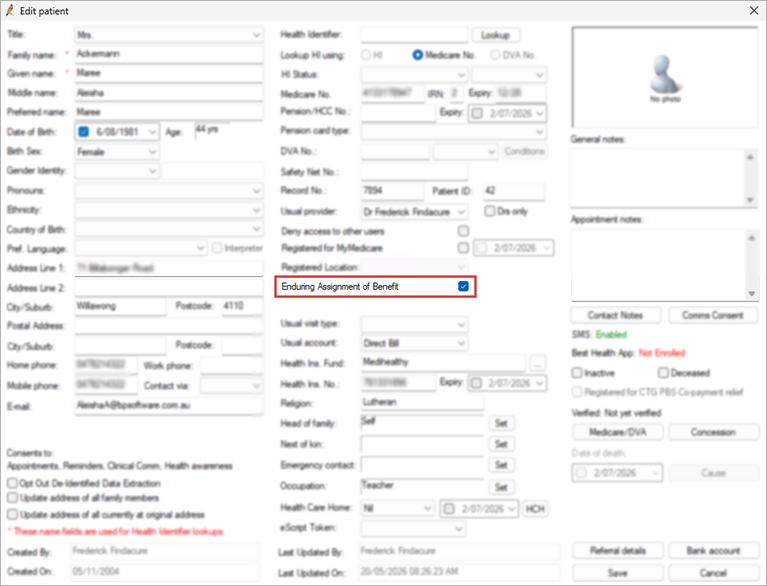
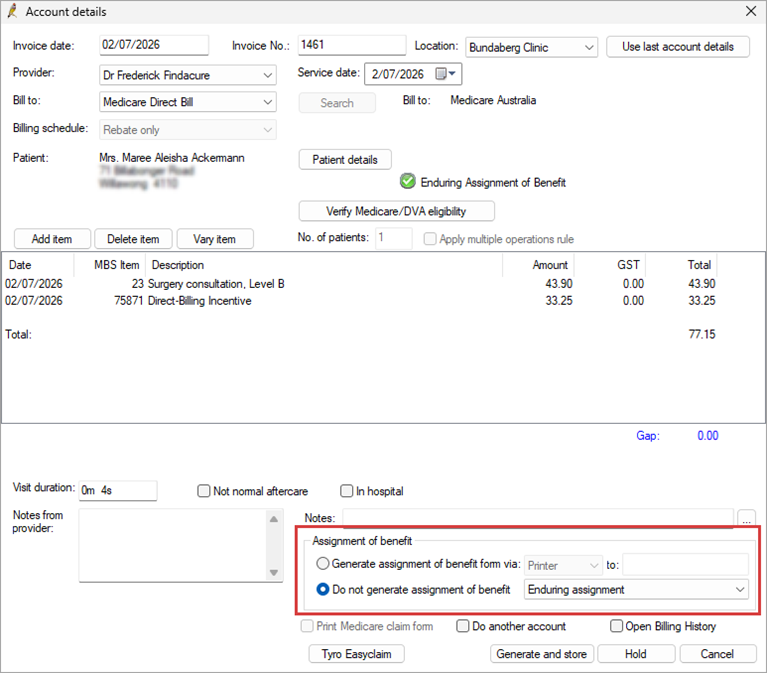
When invoicing an appointment in the Account details screen for a patient with Enduring Assignment of Benefit enabled in the patient record, the option will be selected by default.
TIP Refer to the Australian Government Department of Health, Disability and Ageing (DoHDA) official FAQ document to cover any new or additional requirements.
Invoicing Medicare with Verbal consent
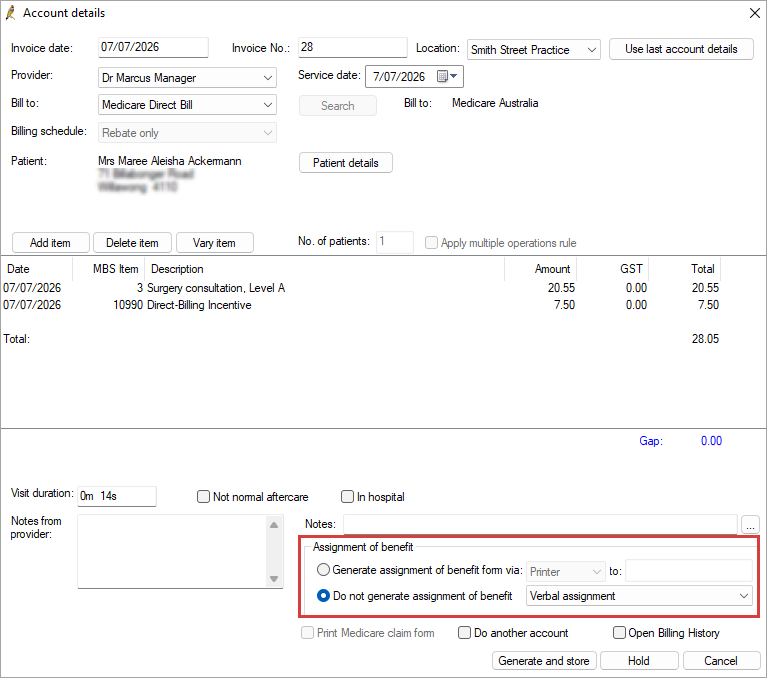
Verbal consent can be used when other options are unavailable until 30 June 2027.
The option can be selected as a Default Assignment of Benefit generation channel or from the dropdown in Account details for the Do not generate assignment of benefit option.
TIP Refer to the Australian Government Department of Health, Disability and Ageing (DoHDA) official FAQ document to cover any new or additional requirements.
Invoicing Medicare with Managed externally requests
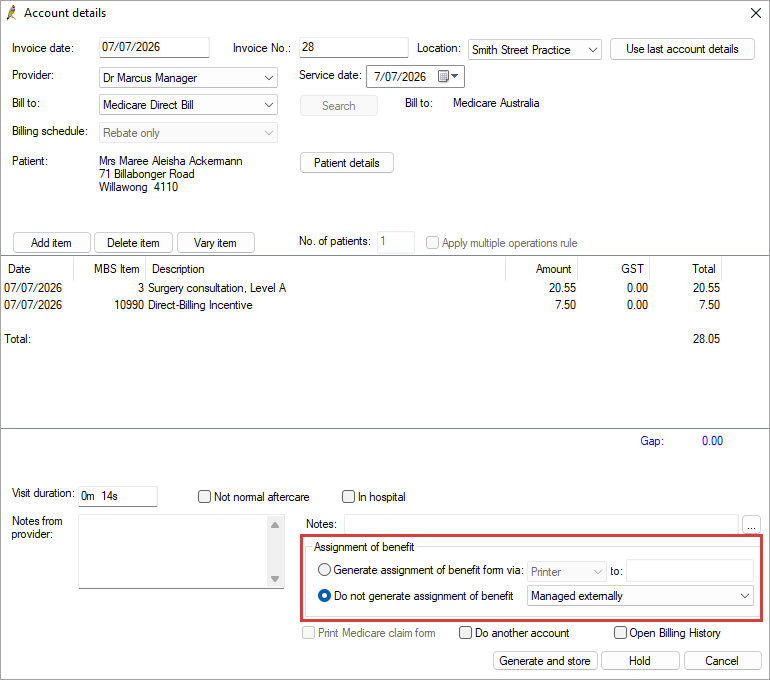
If you are using a third-party provider to manage assignment of benefit requests, the Managed externally option can be selected as a Default Assignment of Benefit generation channel or from the dropdown in Account details for the Do not generate assignment of benefit option.
- If they are an integrated partner with Bp Premier, the status of the AoB request (patient has accepted or declined) will be updated in Bp Premier for managed externally records. For compliance with new AOB requirements, pending or declined records will not be able to be batched until AOB acceptance is confirmed.
- You can use the Resend option for Managed Externally requests to print the request form or send as an SMS from Bp Premier from the Follow up assignment of benefit screen.
Last updated: 07 August 2026.



 AU
AU 